Tubes
Playful wandering paths, closed loops and joined networks.
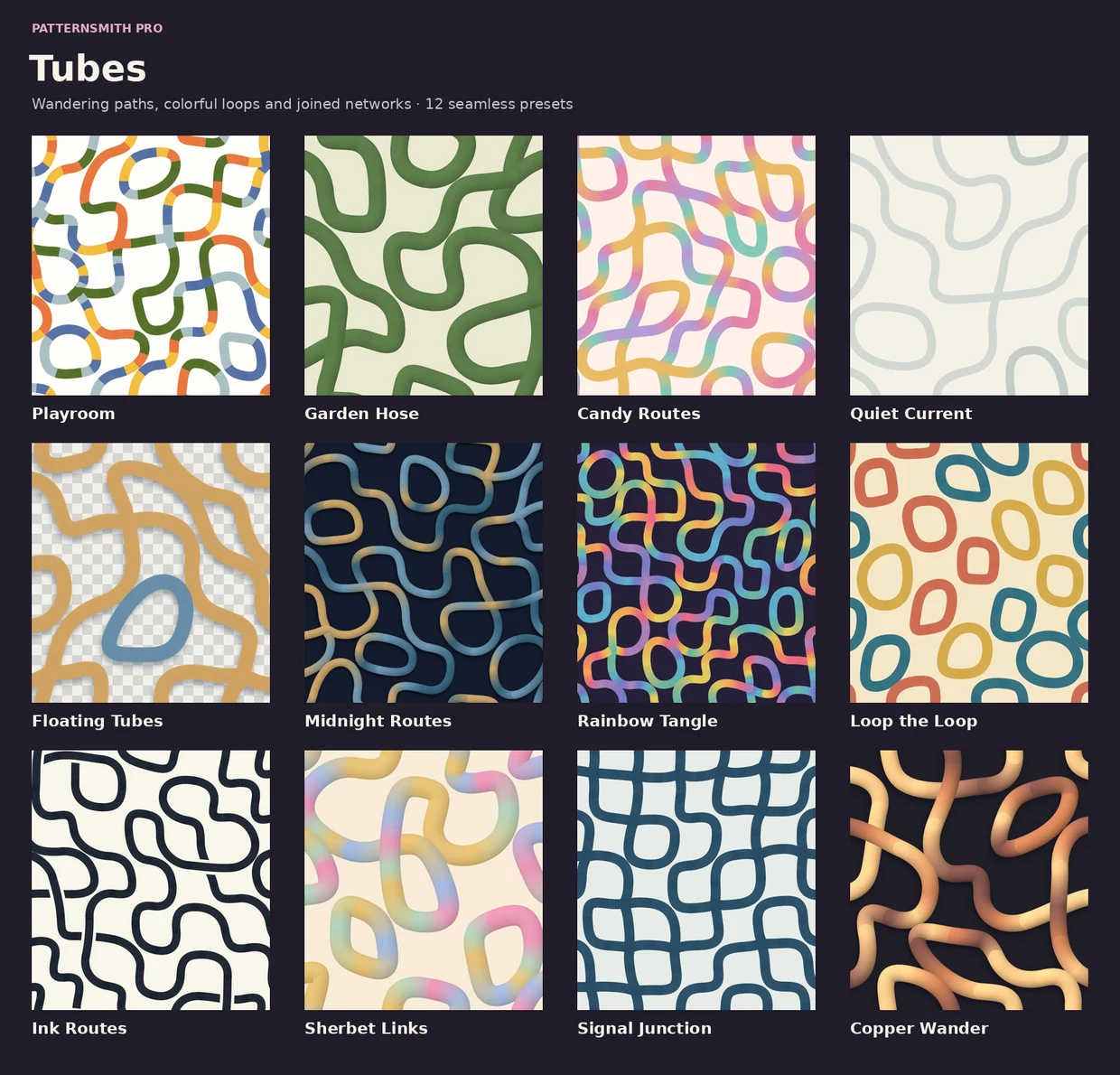
Find Tubes – Seamless under Geometric & Optical. Playroom opens with flat multicolor paths. Try Garden Hose for a shaded finish, Candy Routes for pastel blends, Loop the Loop for closed circuits, or Floating Tubes for transparency and shadows. Sixteen presets offer different starting points. Roundabout, Copper Circuits, Sherbet Circles and Blue Orbits add regular circular loops and uniform bends.
Regular loops and bends
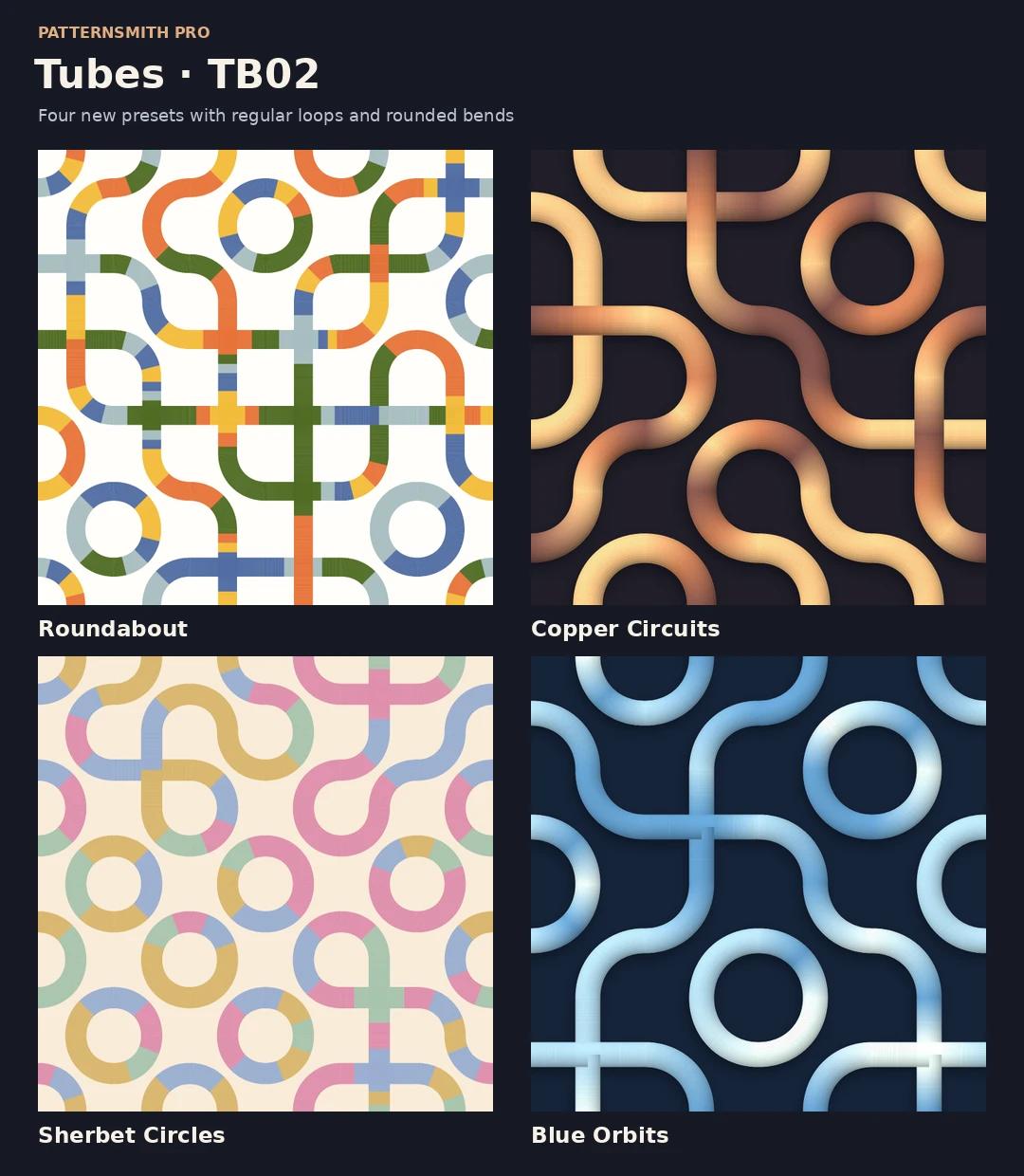
The four TB02 presets use Wandering strength 0% and Bend size 45% for circular-looking loops and consistent rounded turns. Roundabout uses the flat five-color treatment; Copper Circuits uses warm shading and shadows. Sherbet Circles and Blue Orbits offer pastel and cool shaded variations.
Arrange the paths
Path density sets a square framework with four to ten cells per side, in steps of two. More cells create shorter, denser paths. Tube width is limited to 8–35% of one cell to leave room around bends. Bend size changes the curve handles; Wandering strength moves shared connection points and gently deforms the whole framework.
Loop chance encourages closed circuits in groups of four cells. Loops also occur naturally as other paths connect. Crossing chance adds eligible crossing cells among the remaining bends. High loop settings leave fewer eligible crossings.
Allow joined tubes turns some eligible crossings into shared junctions, controlled by Join chance. These four-way junctions share a continuous silhouette and color. Unjoined crossings remain separate paths, even if those paths happen to connect elsewhere in the pattern.
Layered overlap draws one crossing path over the other. Clear underpass opens a gap around the front path; crossing clearance controls that gap. It clears artwork directly, so it also works on transparency.
Direction turns the whole pattern in quarter turns. Layout seed preserves a repeatable arrangement. Shuffle layout changes paths, bends and connections while keeping your other settings.
Choose colors and sections
Choose one to seven editable colors, a limited active-palette selection, or Rainbow. Active palette samples the chosen number of inks across the palette. Shuffle colors reorders inks while preserving the paths and joins. Color sequence shift advances the selected sequence.
One color per connected tube colors each connected component consistently. Several paths joined into one network receive one ink. A dense joined network may therefore use fewer colors than the chosen count.
Colorful sections changes colors along the paths. Choose crisp changes or soft blends. Color segment length sets the preferred run length relative to a cell. Actual runs adjust so colors agree at shared connection points, branch junctions and wrapped edges.
Shading and shadows
Tube shading adds a rounded cross-section under a fixed upper-left light. Zero gives the flat graphic finish of Playroom.
Add tube shadows reveals shadow color, opacity, softness, distance and direction. Shadows sit behind the assembled tube silhouette, preserving clean joined networks. Softness and distance are percentages of cell spacing. Shadow direction stays anchored to the page when the paths turn.
Transparency and export
Transparent background clears the spaces around the tubes and retains enabled shadows in PNG exports. The preview checkerboard is absent from exported artwork. Artwork opacity affects the assembled tubes and shadows together.
Preview and PNG export use the same square repeat at the chosen 256–2048 pixel resolution. The origin is normalized for preview and export. Recipes retain the paths, colors, seeds, shading and shadow settings.
The artwork is generated locally on your device. The reference image is not used as a texture.