Triangle Mosaic
Angular patchwork, connected diagonals, chevrons and repeating blocks.
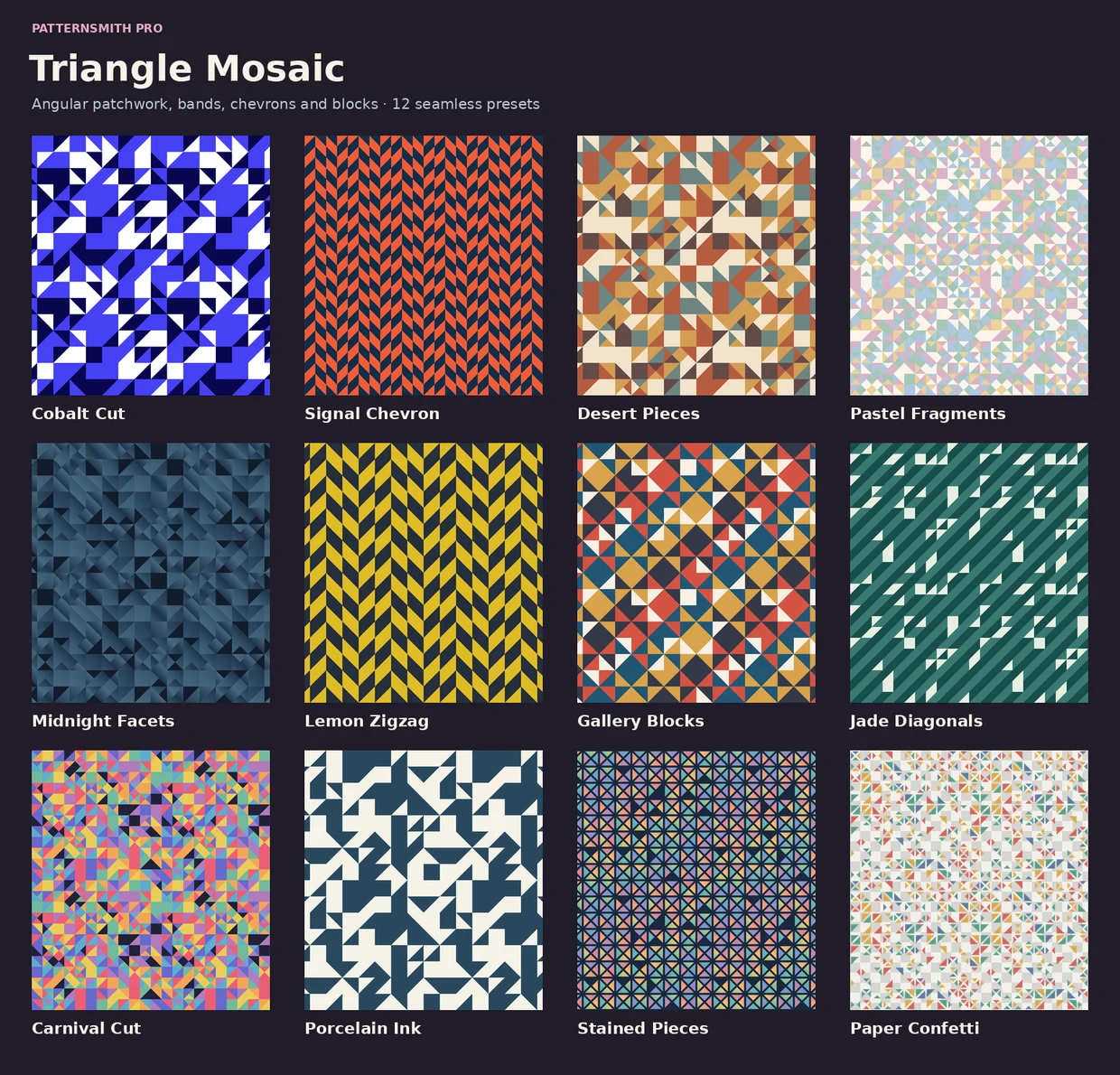
Find Triangle Mosaic – Seamless under Geometric & Optical. Cobalt Cut opens with cobalt, navy and white patchwork. Start with one of twelve designer presets, then adjust its arrangement, colors and finish.
Arrange the pieces
Shuffled tiles varies diagonal directions within the repeat. Diagonal bands aligns triangles into longer diagonal runs. Chevrons reverses their direction in alternating groups. Repeating blocks builds angular motifs from mirrored diagonal directions.
Cells across repeat sets a square grid in steps of four. Motif size sets the grouping to 1 × 1, 2 × 2 or 4 × 4 cells, always fitting the grid. Half-square triangles split each cell in two. Quarter-square triangles join four pieces at the cell center. Mixed triangles varies the subdivision by motif group.
In shuffled layouts, Neighbor alignment encourages cells within a motif to share a diagonal direction. Forward diagonal bias sets the chance of a forward diagonal. These controls affect half-square triangles; quarter-square triangles already have both diagonals.
Solid square chance replaces selected subdivided cells with whole squares. Layout seed gives a repeatable arrangement. Shuffle layout changes that seed while preserving your other settings. In regular arrangements, the seed affects random subdivisions, solid squares and background openings; with all of those disabled, the arrangement stays fixed.
Quarter turns rotate the square layout. The diagonal angles use a square-compatible lattice and produce a denser repeat. All choices repeat on both axes.
Color and finish
Choose one to seven editable colors, a limited selection from the active palette, or Rainbow. Active palette samples the chosen number of inks across the palette. Follow the motif uses the arrangement’s color roles. Other choices assign colors by row, along diagonals or to scattered pieces.
Shuffle colors reorders inks while retaining every piece and background opening. Color sequence shift advances the sequence. With a single ink, neither changes the artwork.
Background pieces sets the chance of pieces using the background rather than a foreground ink. It is a seeded probability, so the precise area varies with the layout. Piece inset leaves space around each colored piece. At zero inset, adjacent fills share their edges without hairline gaps.
Soft gradient blends each ink with the next within each piece. With one ink, a second gradient color appears. Gradient direction turns the blend. Outline colored pieces reveals outline color and width; outlines sit inside the colored pieces. Inset and outline widths are percentages of one cell.
Transparency and export
Transparent background clears background pieces and insets, retaining the colored pieces and their outlines. The preview checkerboard indicates transparency and is absent from PNG exports. Artwork opacity affects all colored artwork together.
Preview and PNG export use the same square tile at your selected 256–2048 pixel resolution. Larger tiles and outlined pieces take longer to calculate. Origin placement is normalized for preview and export. Recipes preserve the arrangement, edited colors, palette, seeds and finish.
The artwork is generated locally on your device. The reference image is not used as a texture.