Tri-Spike Lattice
Alternating three-arm spikes, shaded triangular facets and a continuous morph into hexagons.
Find Tri-Spike Lattice – Seamless under Geometric & Optical, or search for Tri-Spike in the pattern library. Start with one of eleven designer presets, then explore the shape, spike arrangement and surface finish.
Triangles, hexagons and the spaces between them
The pattern uses an equilateral triangular lattice with alternating upright and inverted cells. Cells across repeat changes the overall scale in even steps. Lattice orientation rotates the entire arrangement between horizontal and vertical.
Triangle → hexagon progressively clips each triangle's three corners. At 0, the tiles are triangles. At 100, each becomes a regular hexagon, with hexagonal background openings between groups of tiles. Intermediate values create six-sided shapes with alternating long and short edges. The spike arms adapt to each opening as the tiles change.
Tile spacing shrinks both the tile and its spike opening, revealing more background. Spike arrangement offers alternating directions, all aligned, or rotating groups. The underlying tile lattice remains fixed while the spike directions change.
Finish offers three appearances:
- Faceted tiles: three shaded planes meet at each cell center.
- Flat color tiles: unshaded triangle-to-hexagon tiles.
- Floating spikes: only the three-arm motifs are drawn, revealing the background between them. Morph and spacing still change their available openings.
Shape the three-arm motifs
Show spikes turns the motifs on or off. Arm length sets how far each arm extends toward the edge of its current opening. Arm width changes the central body and arm thickness. Both controls include 0, which removes the spikes.
Arm taper changes the tips from blunt at 0 to pointed at 100. Spike rotation rotates all three arms together through one complete 120° symmetry cycle. Rotating a motif changes the space available to its tips, so the arms automatically fit within their tile. This keeps them from crossing neighboring tiles.
Spike color is independent of the tile colors, and Spike opacity fades only the motifs. In the faceted finish, fine contrasting spikes can read as colored seams between the three planes. Wider black spikes against a bright background create the flatter graphic look.
Spike coloring offers Single color or Three arm colors. In Three arm colors, Arm 1 uses the main spike color and Arms 2 and 3 have their own pickers and HEX fields. Arm colors follow each motif as its arrangement and rotation change.
3D spike facets splits each arm into two triangular faces along its center-to-tip ridge. The faces meet at the shared motif center. Spike facet depth controls their contrast; 0 returns flat arm colors. Spike light direction rotates the light in canvas space, independently of tile lighting. This works with any finish, including Floating spikes. Wide arms with taper 100 show the diamond-like faces most clearly; blunt tips keep a small cap.
Tile colors and palette choices
Faceted and Flat color tiles offer 1–8 Custom colors, each with a color picker and HEX field, or Active palette. Active palette samples up to eight colors spread across the palette bar; a shorter palette uses the colors available. Changing or importing a palette recolors the tiles automatically.
Color placement applies the inks across individual tiles, across rows, or as a seeded mix. Color seed and Shuffle tile colors are available for the seeded mix. They recolor the same lattice without moving the tiles. Floating spikes does not draw tile fills, so its tile-color controls are hidden.
Facets, lighting and outlines
In the faceted finish, Facet depth controls the contrast between the three planes. Set it to 0 to remove the shading. Light direction rotates the light in canvas space; changing the lattice orientation also rotates the facet directions.
Tile outline width and Tile outline color define the outer tile edges. Set the width to 0 to remove the outlines. These outlines are separate from the three-arm spike motifs. Outlines and facet controls are hidden when Floating spikes is selected.
Try Crimson Facets for the dark, red-seam reference look or Terracotta Spikes for the black floating motifs. Move Triangle → hexagon toward 100 to explore the alternate shapes and background openings.
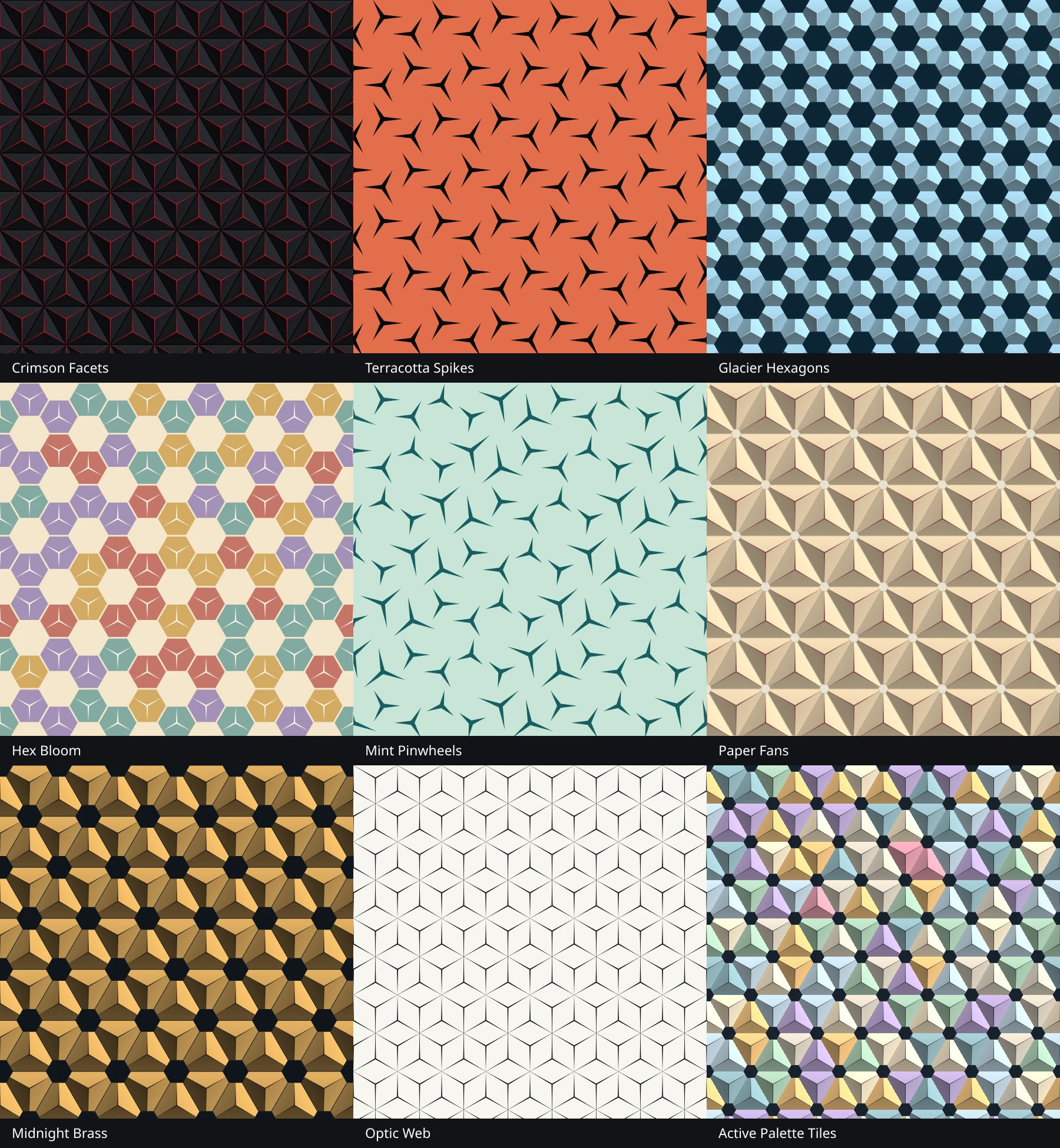
Eleven designer presets
- Crimson Facets: dark triangular planes with fine red seams.
- Terracotta Spikes: pointed black motifs in alternating directions on warm terracotta.
- Glacier Hexagons: pale blue faceted hexagons with light seams.
- Hex Bloom: flat multicolor hexagons with cream openings.
- Mint Pinwheels: rotating groups of teal spikes on pale mint.
- Paper Fans: warm paper facets with burgundy seams and lightly clipped corners.
- Midnight Brass: gold facets with dark outlines and background openings.
- Optic Web: fine black three-arm linework on warm white.
- Active Palette Tiles: shaded, partly clipped tiles using a seeded mix of active-palette colors.
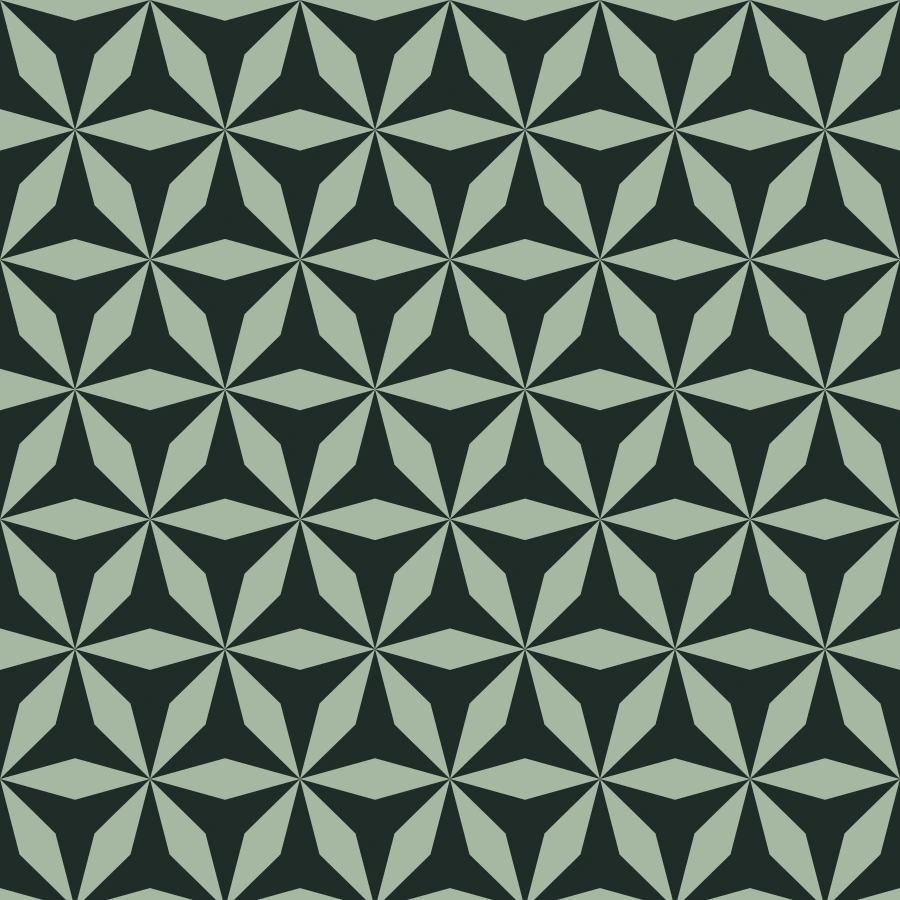
Sage Starbursts: broad, fully tapered arms join into six-point negative-space stars. Soft sage green and deep charcoal give this flat geometric design a calm, versatile contrast. Uses six cells across the repeat, floating spikes, arm length 100%, width 30%, taper 100%, and rotation 120°.
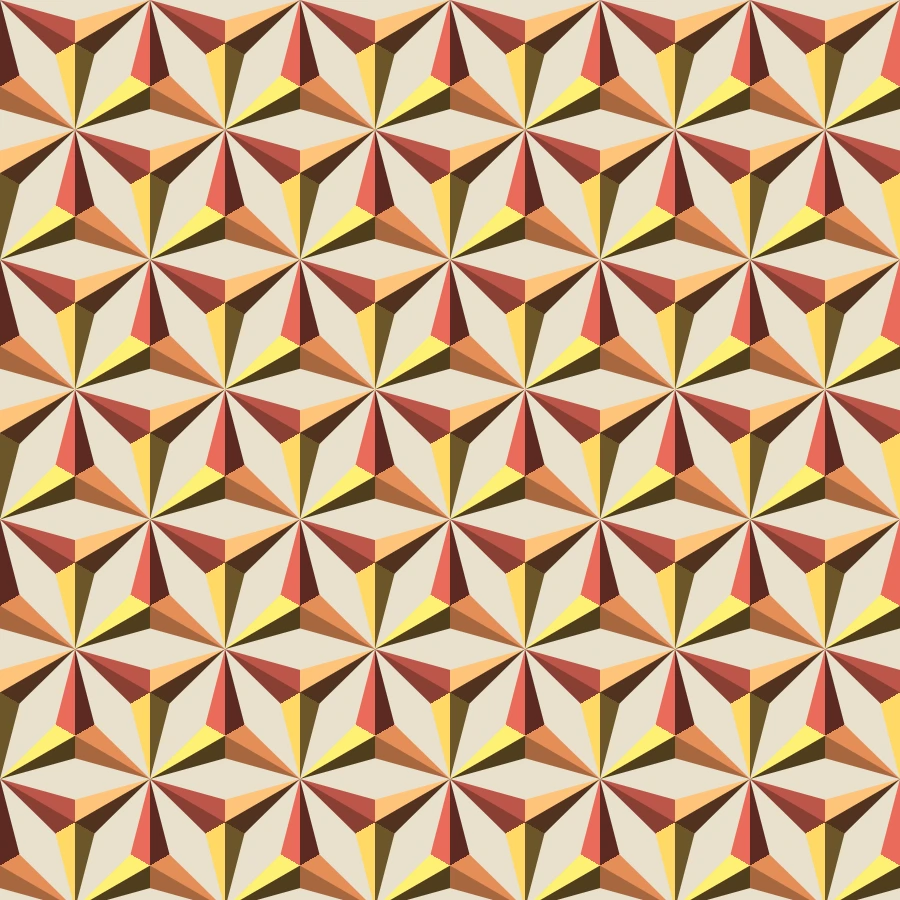
Autumn Prism: three independently colored copper, gold and brick arms, each split into lit and shaded faces against warm ivory.
Seamless export and transparency
Transparent background removes the background between tiles or spikes. The tiles, outlines and motifs retain their own colors and opacity; the preview checkerboard is not exported. Artwork opacity fades the whole assembled pattern.
Repeat size sets the horizontal repeat's width from 256–2048 pixels. Its height is approximately 86.6% of that width to preserve equilateral triangles. Vertical orientation swaps the dimensions. For example, a horizontal 1200 setting exports a 1200 × 1039 pixel repeat, while vertical exports 1039 × 1200. The artboard can display several repeats.
The pattern carries a Slower badge, and the generated tile is cached for unrelated control changes. Use Seamless Preview to inspect the arrangement. PNG export, origin placement, saved recipes, and global texture and paint overlays follow the same workflow as the other PatternSmith engines.