Spectral Veils
Luminous folded sheets, drifting silk and fine energy webs.
Find Spectral Veils – Seamless under Organic & Natural, or search for its name in the Pattern Library. The engine layers translucent ribbon meshes; each ribbon wraps across the square repeat.
Shape the ribbons
Veils per repeat changes how many ribbons are layered. Veil size scales their length and width together; Ribbon width changes width independently. Smaller, narrower ribbons make fine webs. Larger, wider ribbons form overlapping sheets.
Flow bend curves the ribbon path. Fold twist pinches and reverses the ribbon width along its path, creating folded intersections and pointed turns. At 0 the ribbons remain untwisted. Angular facets reduces the number of contour segments, ranging from smooth curves at 0 to visibly angular folds at 100.
Layout seed reproduces the arrangement. Shuffle veils picks a new seed. Changing colors and lighting leaves the ribbon layout in place.
Control light and translucency
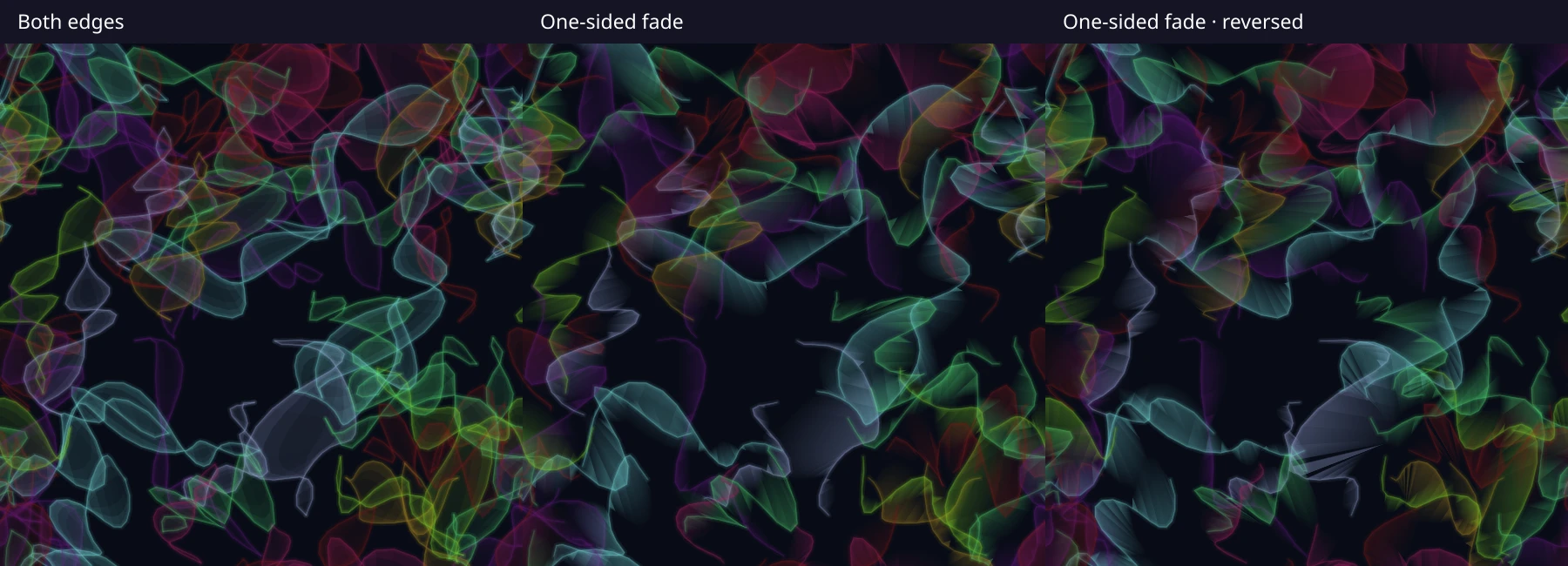
Veil treatment offers Both edges for the original appearance, One-sided fade for a single illuminated contour with a fill fading to 100% transparency at the opposite edge, or One-sided fade · reversed to swap the illuminated side. Edge light and Soft glow apply only to the chosen contour in either one-sided mode. Overlapping veils can still show through the transparent side. Older recipes and all existing presets keep Both edges.
Veil body controls sheet opacity, with stronger density around folds and edges. Edge light controls the fine luminous contour. Soft glow adds broader translucent strokes around that contour. These are independent: lower body for glowing filaments, lower edge and glow for soft silk, or raise body for more visible folded material.
Overlapping translucent sheets build intensity. Dark backgrounds show the luminous effect most clearly. This is a static layered pattern, so there are no animation controls.
Custom inks or your palette
Choose one to eight Custom colors, each with a color picker and HEX field, or Active palette to sample colors spread across the current palette. A shorter palette uses the colors available. Each ribbon receives one color, shared by its sheet, edge and glow. The background has a separate control.
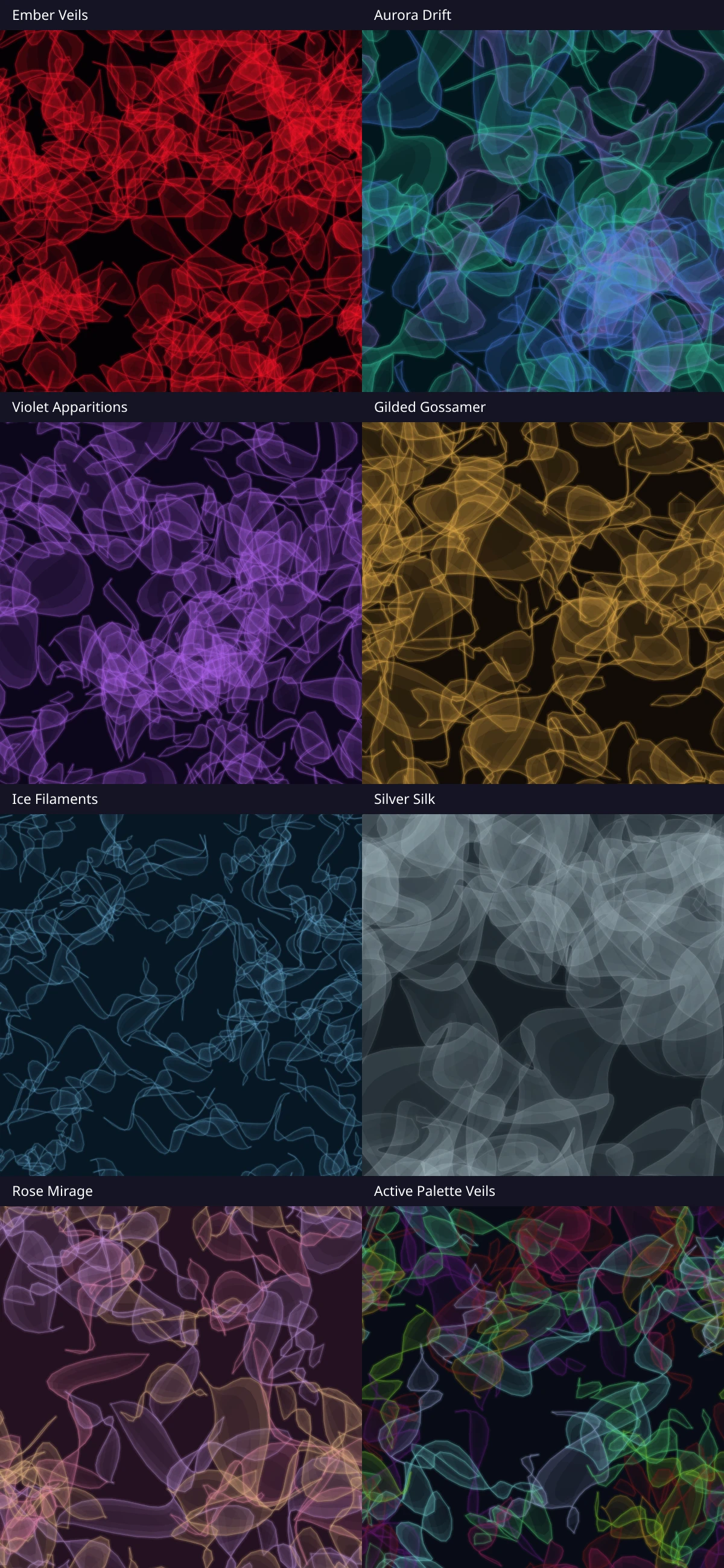
Eight starting points
- Ember Veils: the fiery red energy web on near-black.
- Aurora Drift: broad green, blue and violet veils.
- Violet Apparitions: luminous violet folds.
- Gilded Gossamer: angular gold sheets on deep brown.
- Ice Filaments: smaller, narrower blue webs.
- Silver Silk: broad, smooth, gently twisted sheets.
- Rose Mirage: pink, lavender and warm gold layers.
- Active Palette Veils: a multicolor web from your active palette. The illustration uses Default Spectrum.
Preview and export
Repeat tile size sets a square repeat from 256 to 2048 pixels. Artwork opacity fades the complete assembled pattern. Transparent background removes the background while preserving translucent ribbons and glow. The exported appearance depends on the surface beneath it.
Use Seamless Preview to inspect the repeat, Export PNG to save it, and Snapshot Settings to record your recipe. The engine carries a Slower badge because dense, smooth ribbon meshes take more drawing work. The repeat tile is cached for unrelated changes; reducing the count or increasing Angular facets reduces the drawing work.