Prismatic Glass
Curved glass shards, rainbow glints, soft mosaics and delicate etched outlines.
Find Prismatic Glass – Seamless under Geometric & Optical, or search for its name in the pattern library. Overlapping circular arcs divide the repeat into curved shards. Start with one of eleven designer presets, then explore the layout, colors and optical finish.
Shape the curved shards
Arc density sets 4–16 circular forms across the repeat. Higher values produce smaller, more numerous shards. Arc radius changes how far the circles overlap and how their arcs divide the surface. Layout irregularity varies their centers and radii; use a low value for a more regular arrangement.
Layout seed identifies a repeatable arrangement. Shuffle layout changes the seed while retaining your other controls. Keep the seed fixed while exploring color and finish to compare the same geometry.
Choose a finish and color source
- Prismatic glass adds shaded glass and adjustable rainbow glints.
- Flat color mosaic gives the curved shards a graphic, solid-color treatment.
- Etched outlines draws the arc network without filled shards.
For filled finishes, Shard color source offers three choices:
- Base & accent colors uses the two editable glass colors. Shard color variation changes the mix and, in the mosaic finish, adds the original multicolor treatment.
- Custom colors gives you 1–8 independent shard colors, each with a color picker and editable HEX field. Number of colors controls how many are used. A flat mosaic uses those chosen colors directly.
- Active palette samples 1–8 colors evenly across the palette bar. A shorter palette uses the available colors. Importing a new palette updates the artwork automatically.
In the glass finish, shading and iridescence modify the selected shard colors. Use Shard color variation to adjust tonal movement, Iridescence for the rainbow strength, Spectrum shift to change its hues, and Rainbow band width to spread or concentrate the glints. Iridescence at zero removes rainbow color.
Beveled edges
Edge width sets the outline or bevel width as a percentage of the cell. Set it to 0 for adjoining shapes without outlines. Edge color controls the arc network. With the glass finish, Bevel relief changes the raised-edge lighting, and Light direction changes its direction.
Designer presets
- Prismatic Glass: pale glass with fine bevels and rainbow glints.
- Moonstone: cool, quiet glass with broader edges.
- Midnight Spectrum: dark blue glass with vivid rainbow accents.
- Rose Quartz: warm pink and gold glass with larger arcs.
- Curved Mosaic: colorful graphic shards with visible boundaries.
- Etched Arcs: pale linework against a deep blue background.
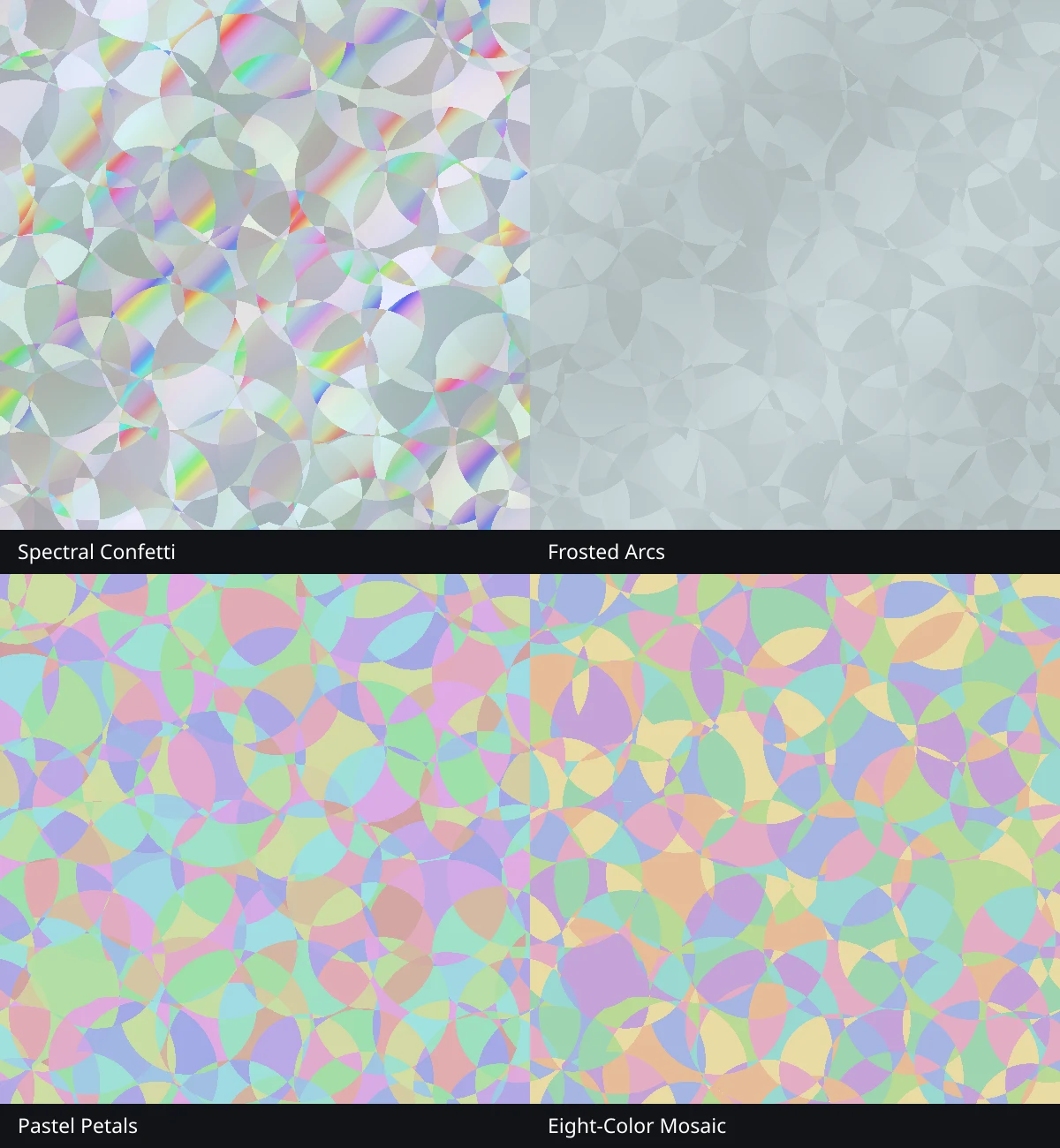
- Spectral Confetti: pale rainbow glass with no outlines.
- Frosted Arcs: subtle cool facets without outlines or rainbow glints.
- Pastel Petals: soft multicolor mosaic shapes without outlines.
- Eight-Color Mosaic: eight editable pastel inks with no outlines.
- Active Palette Glass: palette-bar colors with modest shimmer and glass bevels.
Opacity, transparency and export
Artwork opacity fades the assembled artwork over the background. Repeat tile size sets a square 256–2048 pixel repeat used by preview and PNG export. Larger values give finer raster detail and take longer to render; the pattern carries a Slower badge.
Transparent background is available with Etched outlines. It removes the background while preserving the linework; the preview checkerboard is not part of the PNG. Filled glass and mosaic finishes cover the tile.
Use Seamless Preview to inspect the repeat. Colors, arc layout, lighting and rainbow glints wrap together on both axes. Saved recipes retain the pattern controls, custom colors and palette snapshot. The artwork is generated locally on your device; the reference photograph is not used as a texture.