Play Blocks
A playful geometric sampler with curves, circles, dots, stripes and angular details.
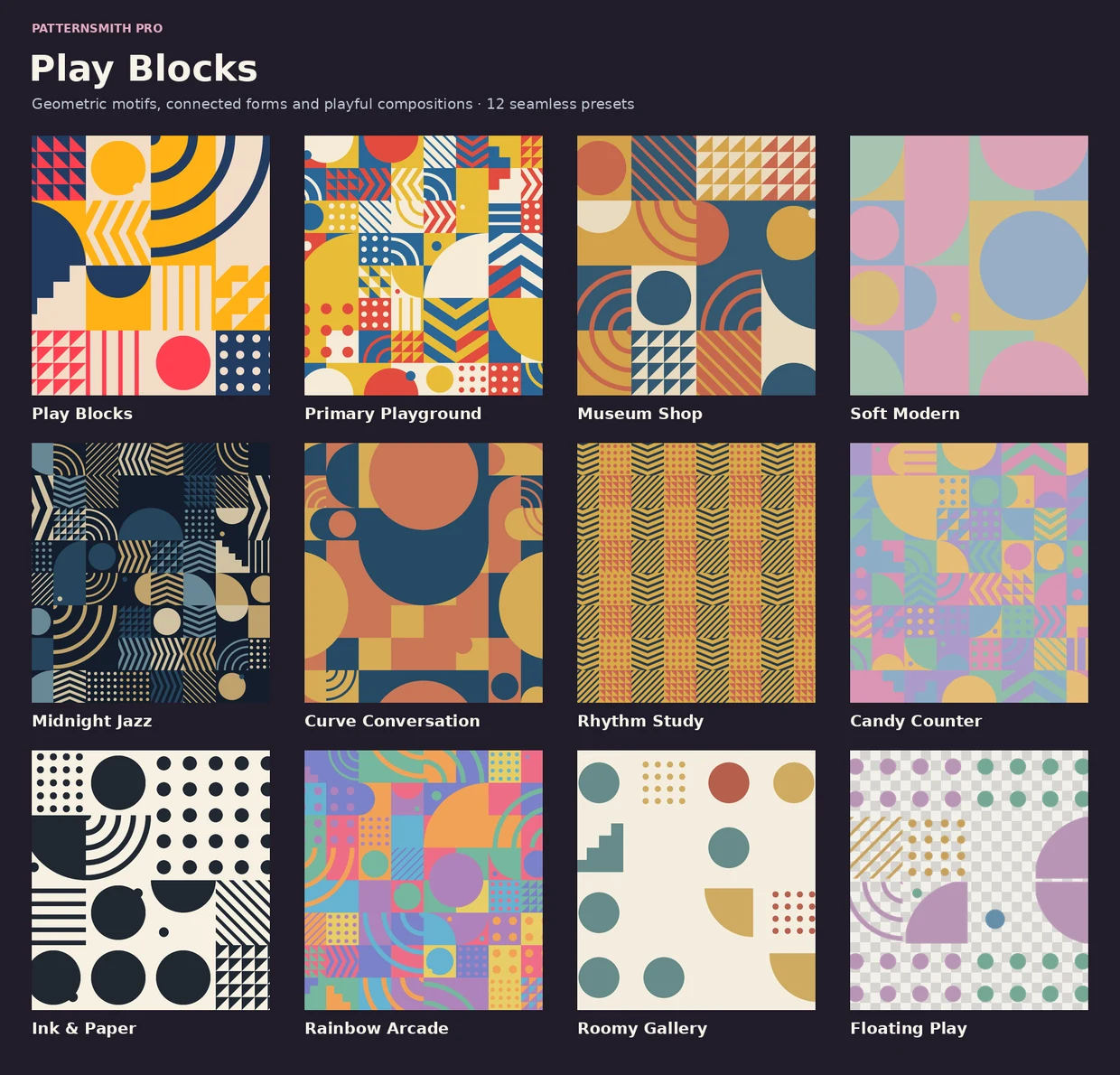
Find Play Blocks – Seamless under Geometric & Optical. The opening preset combines coral, gold, navy and cream. Twelve presets range from bold samplers to quiet gallery layouts and transparent geometric overlays.
Arrange the blocks
Independent tiles gives each cell its own seeded motif. Repeating groups repeats a 2 × 2 or 4 × 4 template, including its colors. Connected compositions reserves groups of cells for larger shared motifs. These groups can cross the outer boundary and continue on the opposite side of the repeat.
Cells across repeat sets a square grid in steps of four. Group size always divides the grid. Large composition chance determines which reserved groups use a larger motif; the remaining cells keep individual motifs. Connections happen within each shared group, rather than forcing every independent tile edge to match its neighbor.
Permitted rotations allows quarter turns, half turns or upright motifs only. Allow mirrored motifs adds reflected versions. Motif scale scales within the motif’s single cell or shared group. Gap between cells exposes the global background; set it to zero for uninterrupted connected forms.
Motif coverage controls the chance that a cell or shared group contains foreground artwork. Its block backing remains unless transparency is enabled. Accent detail chance adds small discs or alternate triangle details where the motif supports them.
Layout seed gives a repeatable composition. Shuffle layout changes motifs, placements and orientations while retaining your settings. Lock layout while recoloring disables the arrangement and motif controls, leaving colors and export controls available. Unlock it to change the composition again. Selecting a designer preset loads that preset’s layout.
Choose motifs
The motif library shows ten selectable thumbnails: quarter circles, semicircles, discs, nested rings, dot arrays, stripes, triangle fields, chevrons, steps and solid blocks. Keep at least one selected. The All motifs, Curves only and Details only buttons select useful sets quickly.
Open Motif frequency (optional) to make individual selected motifs Rare, Normal or Often. Frequencies are relative weights, so a small layout may not contain every selected motif. Shuffle the layout to explore another selection.
Detail density controls ring, dot, stripe, triangle, chevron and step repetition. Detail stroke width changes line, stripe, dot and chevron weight. Filled discs and solid blocks retain their filled shape.
Explore color
Choose one to seven editable colors, a limited active-palette selection, or Rainbow. Active palette samples the chosen number of inks across the palette. Shift or shuffle the color sequence without moving the motifs.
Multicolor block backgrounds draws backings from contrasting palette colors. Turn it off to use one global background. With one ink, the global background is used automatically. Shared connected motifs keep the same foreground ink through all of their member cells, while their block backings may differ.
Transparency and export
Transparent background clears every block backing and cell gap, preserving foreground motifs and accents. The preview checkerboard is absent from PNG exports. Artwork opacity changes the assembled artwork, including any multicolor backings.
Preview and PNG export use the same square repeat at the selected 256–2048 pixel resolution. Origin placement is normalized for preview and export. Recipes retain enabled motifs, frequency weights, layout lock, colors and arrangement settings.
The artwork is generated locally on your device. The reference image is not used as a texture.