Liquid Contours
Flowing optical bands, closed islands and squeezed contour channels.
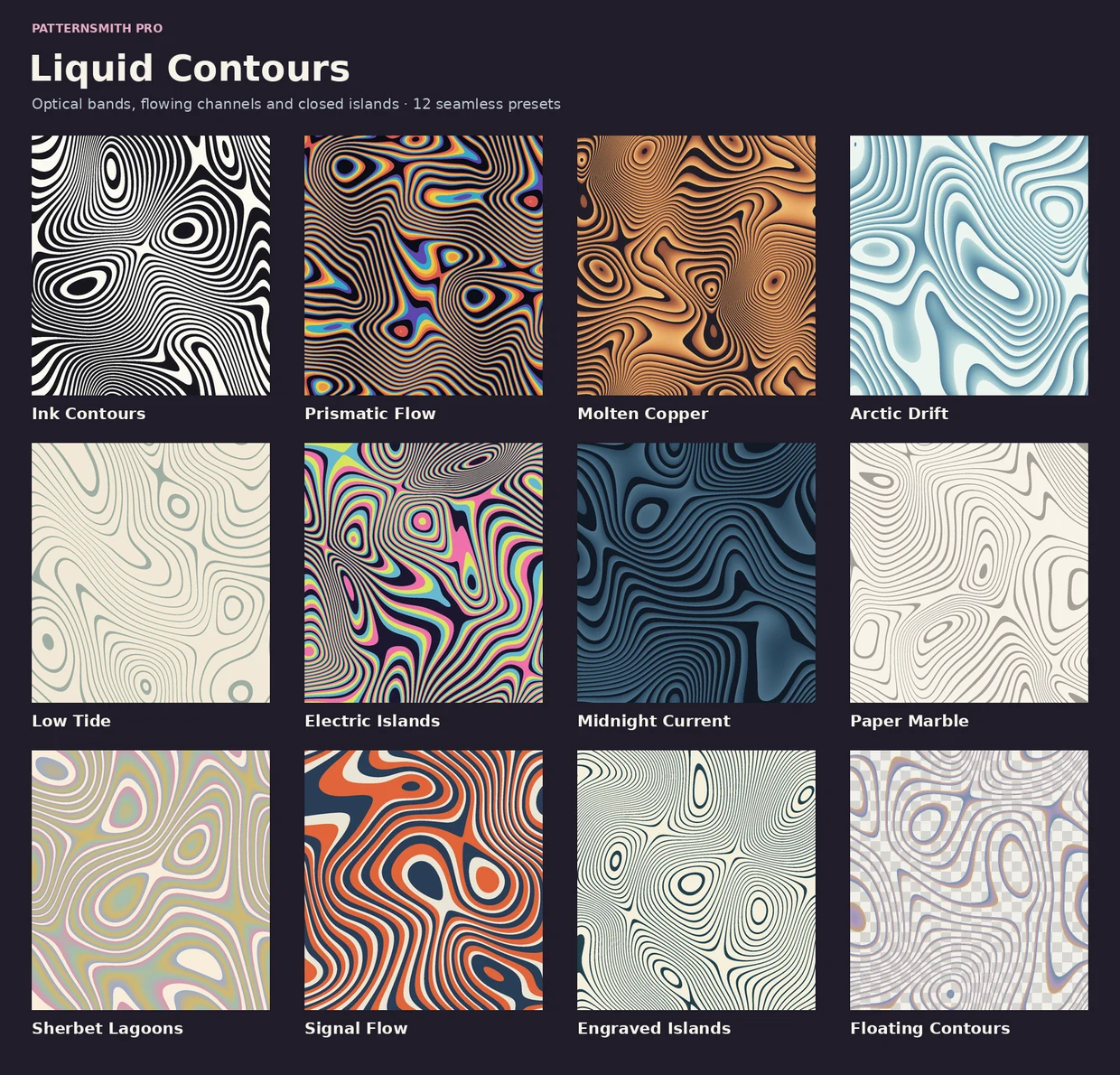
Find Liquid Contours – Seamless under Geometric & Optical. Ink Contours opens with black-and-white optical bands. Try Prismatic Flow for a bright banded fill, Molten Copper for warm gradients, or one of the other nine designer presets.
Shape the field
Channels & islands balances through-flow with enclosed forms. Long flowing channels strengthens the through-flow. Closed islands removes that main through-flow and favors enclosed hills and pockets; some contours may still continue across the repeat.
Flow direction turns the field horizontally, vertically or onto a diagonal repeat lattice. Diagonal directions appear denser. Band density sets how often the color group repeats through the field. Larger values create finer bands.
Colored band width balances foreground groups against background channels. Broad channels varies that balance smoothly across the repeat, making roomier channels alongside narrower ones.
Turbulence bends the field. Pinch strength adds a second, tighter distortion. The field remains continuous, so pinches and saddle points turn into natural-looking changes in the contour shapes.
Added islands introduces up to twelve seeded hills and hollows. Island size controls their nominal radius relative to the repeat, and Island influence controls their strength. The underlying field can also form islands naturally, even when the added count is zero.
Band phase moves the color groups through the field without moving the field itself. Its 0° and 360° endpoints match. Layout seed gives a repeatable field; Shuffle flow changes the arrangement while keeping your other settings.
Choose band colors
Choose one to seven editable colors, a limited active-palette selection, or Rainbow. Active palette samples the chosen number of inks across the current palette.
With more than one ink, One color per band assigns one solid ink to each entire contour band, using the selected color sequence. Multiple colors per band divides each foreground group into clean color stripes, retaining the original discrete treatment. Blended color bands blends through the inks across the group. The background separates one colored group from the next.
Color sequence shift advances the ink order. Shuffle colors reorders the inks while retaining the flow geometry and foreground coverage. Changing the number of colors also preserves the shape of the foreground groups. One-color bands wrap their sequence with the field repeat so a band retains its color across tile edges, including when the band density is not a multiple of the color count. Existing presets keep their original treatment.
Transparency and export
Transparent background clears the background channels and retains the colored contour groups. The preview checkerboard is absent from PNG exports. Artwork opacity affects all foreground groups together.
Preview and PNG export use the same square repeat at the chosen 256–2048 pixel resolution. The smooth field is independent of export resolution. Larger tiles retain finer band detail; very fine bands can soften or merge when exported at small sizes. Origin placement is normalized for preview and export.
Recipes retain the field controls, colors, seeds and transparency. The artwork is generated locally on your device. Reference images are not used as textures.