Layered Rings
Build overlapping targets, scattered paper discs and scalloped fans from concentric rings.
Find Layered Rings – Seamless under Geometric & Optical. Start with Blue Targets for the classic two-color design, Paper Discs for a raised finish, or Ocean Fans for deep overlapping rows.
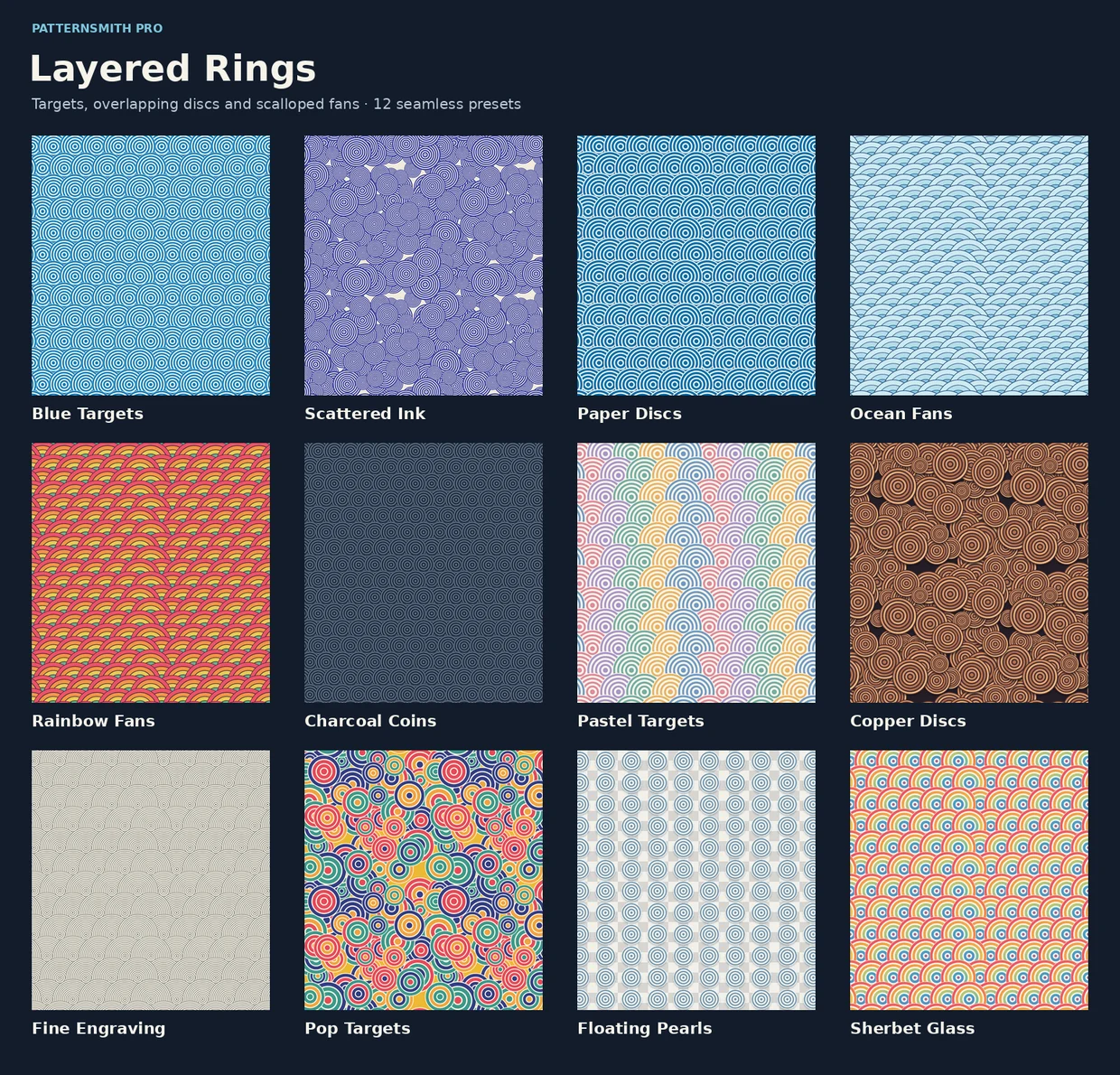
Arrange the discs
Staggered rows offsets alternate rows. Aligned rows places disc centers in a regular grid. Scattered discs varies positions within an evenly distributed starting layout and shuffles the layer order.
Disc diameter is a percentage of column spacing. At 100%, neighbors in the same row touch. Larger values overlap. Adding more rows brings the next row closer, revealing scalloped caps. Layer direction turns the ordered arrangement in quarter turns.
Rows advance in pairs so staggered arrangements repeat across the boundary. Very large discs are limited to 90% of the tile width. In scattered layouts, the disc count sets the nominal column spacing used by the diameter control.
Disc size variation gives each disc a repeatable size difference. Shuffle layout changes the arrangement seed. In ordered layouts with zero size variation, the layout stays regular when you change the seed.
Design the rings
Rings per disc sets the number of colored bands. Band width controls how much of each radial step contains ink. Center dot size sets the center diameter as a percentage of the disc diameter. Outer rim width reserves a border in the disc-fill color. At zero width, a 1px backing choke prevents a pale hairline at the outer colored edge.
Explore colors and fills
Single ink uses one ring color. Editable colors offers one to seven editable inks. Active palette samples the chosen number of colors across the current palette. Rainbow supplies a bright color sequence.
Assign colors around each disc, use one ink per disc, or shuffle the ring colors. Shuffle colors changes color assignments while preserving disc geometry. Color sequence shift advances the current sequence. The disc-fill color shows in the ring gaps and rim.
Soft gradient blends the selected ring ink with the next ink across each disc. With one ink, it blends toward the disc-fill color. Use Gradient direction to turn the blend.
Shadows, transparency and export
Enable Add disc shadows to reveal shadow color, opacity, softness, distance and direction. Direction stays anchored to the page when you turn the layer arrangement. Softness and distance scale with the nominal disc diameter, keeping the effect consistent as you change export resolution.
Transparent background clears the space around the discs and retains their shadows in PNG exports. Disc fill stays visible between the rings. Artwork opacity changes the opacity of the assembled discs and shadows together.
Seamless Preview and Export PNG use the same square tile at the selected 256–2048 pixel resolution. Origin placement is normalized for preview and export. Settings and palette selections are retained by PatternSmith recipes.
The artwork is generated locally on your device. Reference photographs are not used as textures.