Interlocking Waves
Fine woven bands, flowing layers, rounded interlocks and spiral crests.
Find Interlocking Waves – Seamless under Geometric & Optical. Start with Gold Weave, Airy Blue, Rounded Current, Curling Surf or Spiral Wave for the five variations. Nineteen presets range from light linen lines to colorful braids and transparent curls.
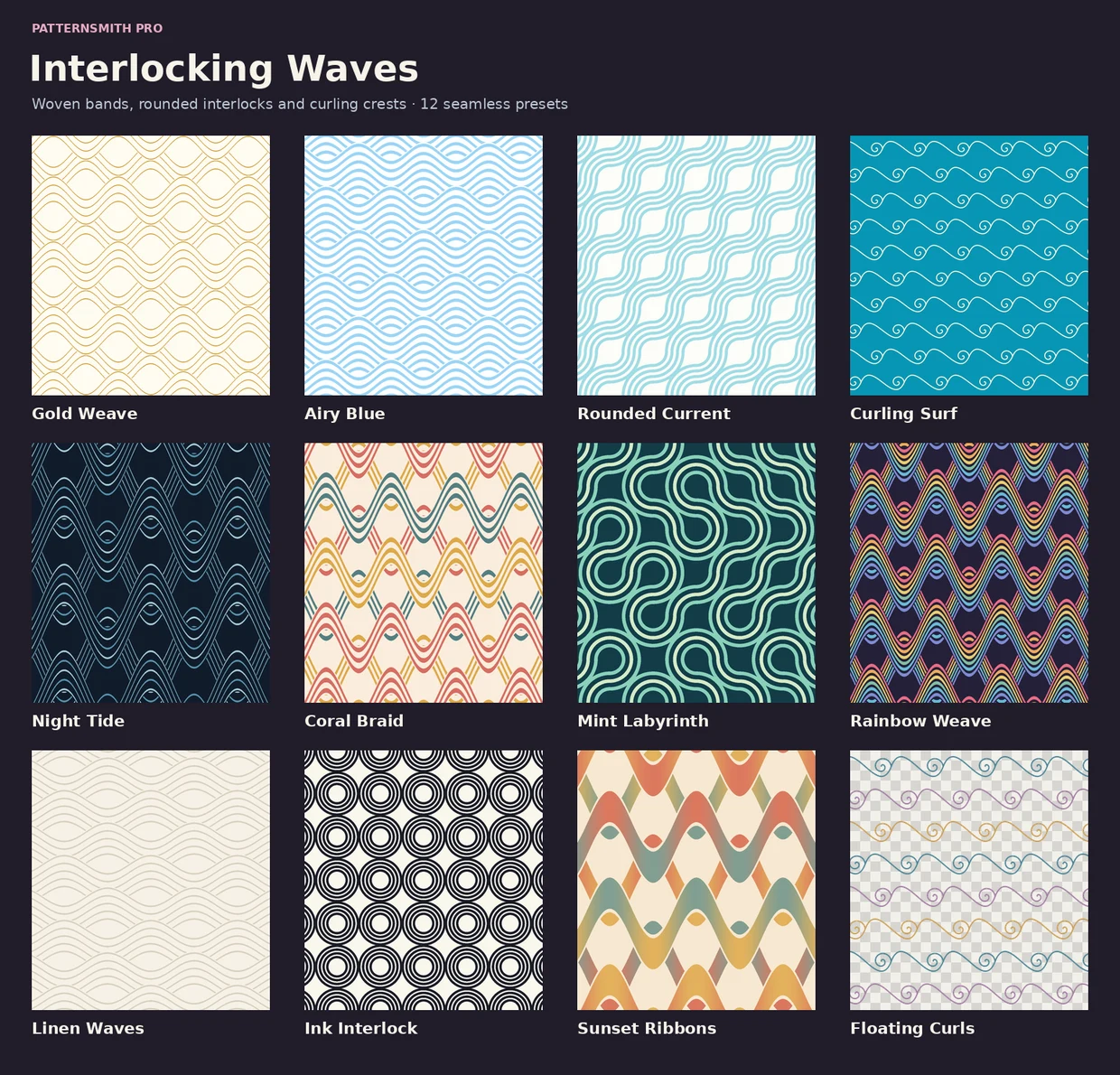
Choose a variation
Woven Waves interlaces bands and conceals the lines passing underneath. Layered Waves lets lower rows sit in front of upper ones. Rounded Interlocks connects nested quarter-circle bends across neighboring cells. Curling Waves adds a spiral hook to each flowing crest.
Waves across repeat controls wavelength. Rows down repeat controls vertical spacing and advances in pairs, keeping alternate row staggers consistent at the boundary. More waves or rows make the pattern denser.
Wave height changes the rise and fall. Alternate row stagger shifts every other row horizontally. Wave phase shifts the waves within their horizontal cycle; 0° and 360° match.
Rounded Interlocks has flowing, alternating and shuffled bend arrangements. Shuffled bends reveals a repeatable seed and Shuffle bends. Curling Waves reveals Curl size and Curl tightness. Join at crest uses the supplied Illustrator Bézier crest: the upper arm starts at the lower arm’s endpoint and curves up-left from a shared pointed tip. Their outer tails meet halfway between neighboring crests along a shared diagonal tangent. Turn it off for the original flowing shape. Curling Surf opens with this reference-style connection; turn it off to use the original flowing shape. Curl size is limited to 10–35% of the smaller cell side so neighboring rows remain readable.
Curling Waves and Spiral Wave support quarter turns. The other variations also offer diagonal orientations through a square-compatible repeat lattice. Diagonal orientations look denser than horizontal ones. Rounded bends stretch with the cell proportions when column and row counts differ.
With Join at crest enabled, Crest profile offers Original curl and Rounded taper, using the two supplied Illustrator drawings. Rounded Surf selects the second profile with a finer 16% stroke. Existing Curling Surf designs retain their original profile.
Wave taper (0–100%) thickens the curled crest and thins the connecting diagonals. Joined crest profiles keep the outer 10% at each end uniformly thin, easing smoothly into a thicker crest. Spiral Wave eases both its wave and its spiral into the same thin width at their connection. Zero retains the original uniform stroke; all presets from IW07 retain their original appearance.
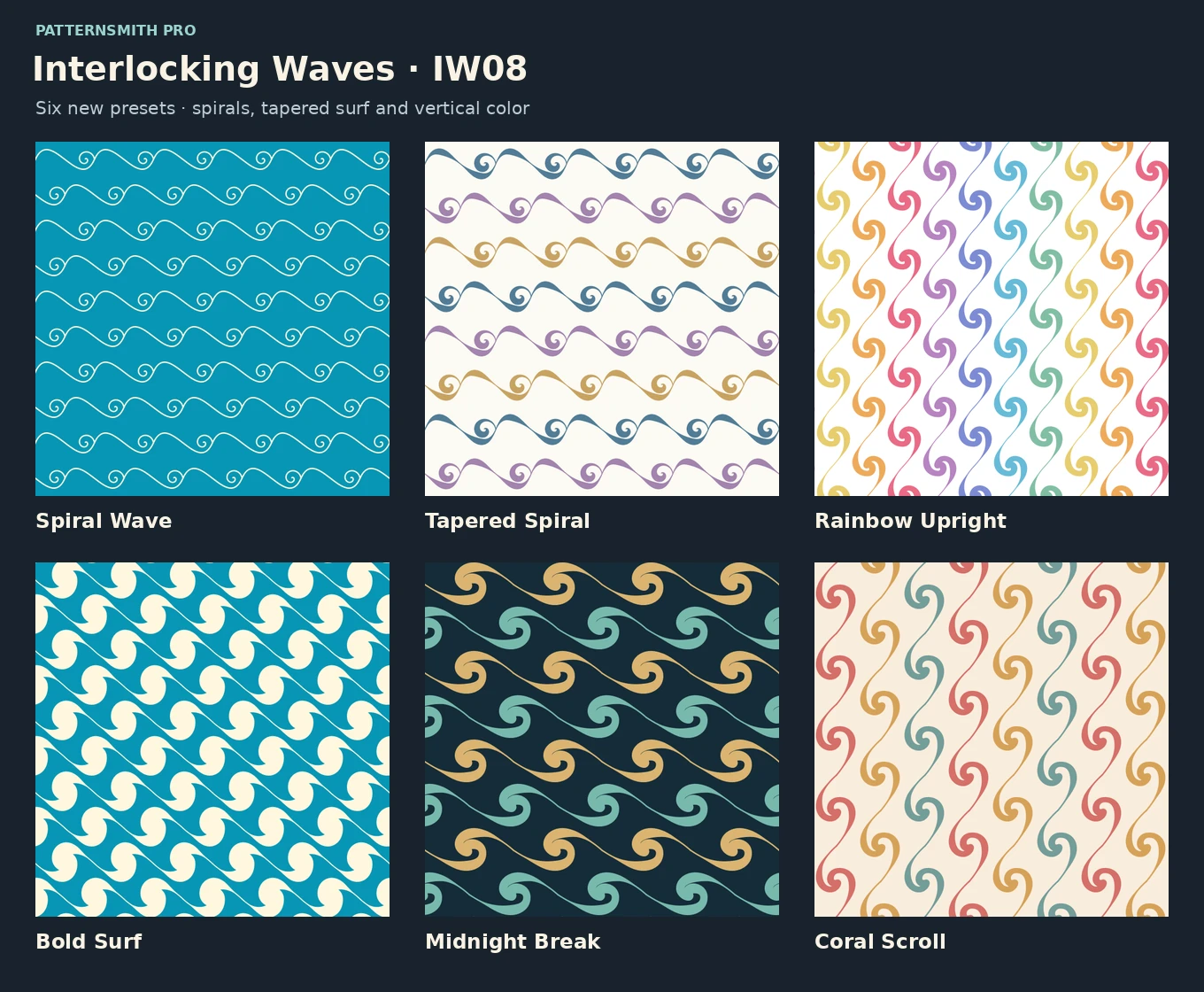
Spiral Wave restores the early flowing wave with a spiral hook, with taper available. New presets include Tapered Spiral, Rainbow Upright, Bold Surf, Midnight Break and Coral Scroll. Bold Surf matches the supplied 75% stroke and 100% taper settings; Rainbow Upright combines thick tapered crests, seven rainbow inks and vertical rows.
Design bands and crossings
Choose Nested lines, Solid bands or Band outlines. Nested lines offers one to nine lines per band. Stroke width is a percentage of the spacing between nested lines. Curling Waves uses one fifth of its row spacing as the stroke reference.
Band width controls how much space each band occupies. Wider bands overlap more. The rounded variation limits its band width to preserve the space inside each bend. With one nested line, the band centers carry a single stroke.
Crossing order selects alternating bands, the reverse weave, or lower rows on top. Crossing clearance clears a little extra room around the front band. A front band’s interior conceals underpassing lines even where the front band has no ink. Layered Waves always places lower rows on top.
Color and gradients
Choose one to seven editable colors, a limited active-palette selection, or Rainbow. Active palette samples the chosen number of inks across the current palette. Shift or shuffle the color sequence while preserving the curves and bends.
Place colors across nested lines, by wave row, or across the repeat. Rounded Interlocks mirrors the nested color sequence at cell joins so connected offset lines match. It offers nested-line and repeat-wide placement. Curling Waves offers row and repeat-wide placement.
Soft gradient blends between colors when more than one ink is available. Wave gradients return to their starting color at the repeat boundary. Repeat-wide placement uses all selected inks in a sequence that travels outward and back.
Transparency and export
Transparent background clears the spaces between strokes and bands. Underpasses remain concealed, without painting a background-colored patch. The preview checkerboard indicates transparency and is absent from exported PNGs. Artwork opacity controls the assembled artwork as one layer.
Preview and PNG export use the same square tile at the chosen 256–2048 pixel resolution. Larger tiles, many nested lines and rounded bends take longer to calculate. Origin placement is normalized for preview and export. Recipes retain the variation, geometry, edited colors, palette and finish.
The artwork is generated locally on your device. Reference images are not used as textures.