1980s Design Party
A spacious seamless Memphis mix of bold shapes and playful marks.
Find 1980s Design Party – Seamless under Decorative & Playful, or search for Design Party in the Pattern Library.

Arrange the party
All eight presets now use fewer, smaller motifs and restrained overlap allowances for more background space. Choose a preset to load its revised settings. Existing saved recipes retain their own count and scale; changing to a preset replaces those values.
Motifs per repeat counts complete motifs: one dot cluster or striped patch counts as one. Motif size changes the whole mix, while Size variation adds small and large elements. Triangles and circles are naturally larger than decorative marks. Rotation variety ranges from aligned marks at 0 to full random angles at 100.
Choose Scattered, Loose grid, or Clusters. Overlap allowance guides spacing; it is not a collision lock. Dense or large layouts can still overlap. Layout seed reproduces an arrangement; Shuffle party chooses a new seed. Motifs crossing an edge wrap to the other side.
Build your motif mix
Individually enable triangles, circles, rings, zigzags, lightning bolts, dot clusters, chevron stripes and squiggles. Turning all eight off leaves the background and the optional Random dot cover. Triangles & circles share balances enabled large shapes against smaller marks. If only one group is enabled, the engine uses that group.
Striped triangles controls how many triangles receive internal line decoration. Triangle stripe color colors those lines. Line & dot weight thickens strokes and dots. Outline solid shapes adds an independently colored border to triangles, filled circles and lightning bolts.
Dot style switches Dot clusters between a regular grid and Irregular ink spots, which vary in size, position and shape. Dot size changes the spots independently of other motif strokes. Dot irregularity controls how uneven the spot outlines are. Enable Use separate dot color for black ink spots (or any chosen color), independent of the motif palette. Disable it to use palette colors. These options appear when Dot clusters is enabled.
Drop shadows on solid shapes adds crisp offset silhouettes behind triangles, filled circles and lightning bolts. Control shadow color, offset as a percentage of motif size, direction and opacity. Direction is consistent across rotated motifs: 0° points right and 90° down. Shadows wrap with their motifs across tile edges and remain in transparent PNG exports. Rings and line decorations do not cast shadows.
Random dot cover
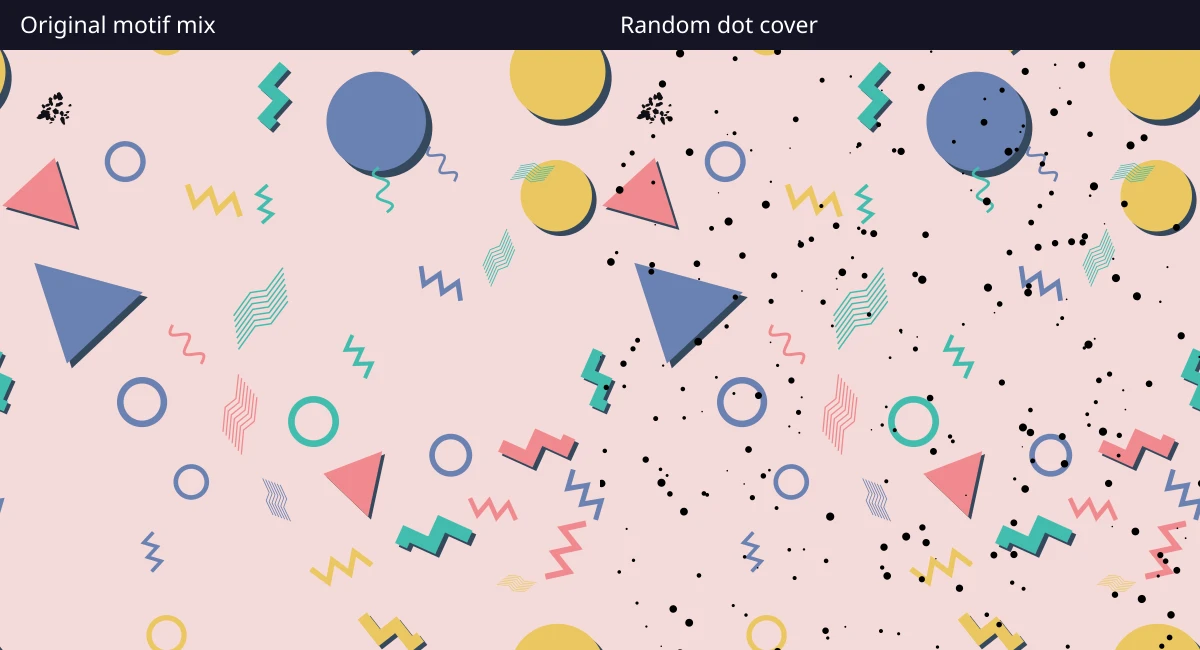
Enable Random dot cover to scatter dots across the whole repeat, independently of the Dot clusters motif. Set Cover dot count, diameter as a percentage of the repeat, size variation, color and opacity. Choose round dots or irregular ink spots. Dots can overlap; the scatter is seeded rather than evenly spaced.
Cover placement puts the cover over the motifs (as in the reference style) or behind them. Cover dot seed and Shuffle dot cover change only the cover arrangement, leaving the main motifs in place. The main Layout seed changes only the motifs. A count or opacity of 0 hides the cover. Cover dots wrap across the repeat edges and are included in transparent PNG exports. Existing presets leave this optional effect off.
Color the mix
Choose Custom colors for one to eight editable motif colors, or Active palette to sample up to eight colors spread across the current palette. A shorter palette uses the colors available. The background, triangle stripes and optional outlines have separate color controls. Changing colors keeps the layout in place.
Eight starting points
- 1980s Design Party: hot pink, mint, violet and yellow.
- Miami Pastels: warm blush with softer seaside colors, irregular black ink spots and navy shadows.
- Arcade Night: bright shapes, pale outlines and crisp shadows on midnight blue.
- Confetti Club: a lighter confetti mix on cream.
- Ink Dance: graphic dark marks on warm paper.
- Cosmic Mix: pastel clusters on deep violet.
- Grid Groove: a quieter arrangement on a loose grid.
- Active Palette Party: recolors the mix from your active palette.
Preview and export
Repeat tile size sets a square repeat from 256 to 2048 pixels. Artwork opacity affects motifs; the background remains solid unless Transparent background is enabled. Use Seamless Preview to inspect the repeat and Export PNG to save it. Snapshot Settings records the controls and seed.